Open the Instagram post and tap Share, then choose Copy link.
Use MP3 to save public Instagram content in your browser. No login or app installation is required.
Extract audio from accessible public Instagram videos and save it as an MP3 file for offline listening. Paste a supported post or Reel link to prepare the available audio directly in your browser.
Open the Instagram post and tap Share, then choose Copy link.
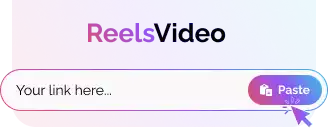
Paste the copied Instagram link into the download field above.
Press Download and save the video, photo, or MP3 prepared by the server.
Convert accessible public Instagram videos, Reels, and long-form posts to MP3 with a fast browser-based tool for phones, tablets, and computers.
Paste a supported public Instagram video link to extract its audio as an MP3 file. No visitor login, browser extension, or additional app is required.
MP3 processes public Instagram links on the server and prepares available photos, videos, or audio for your device.
No. The tool works with public links that the server can access. Private or restricted media is not supported.

No. The converter works directly in modern browsers such as Chrome, Safari, Firefox, and Edge.
It lets you save the audio track from a supported public Instagram video for convenient offline listening when you have permission to do so.
Yes. Accessible public Reels with a supported audio track can be converted to MP3.
Only when you have the necessary rights or permission. Respect copyright and obtain the creator’s consent before reposting, editing, or commercial use.
No. The downloader supports accessible public media only. Private, restricted, expired, or unavailable posts cannot be processed.
Videos are processed one at a time. Paste each supported public URL separately to create its MP3 file.
The public page does not ask visitors for an Instagram password. Use the correct site address and download only media you are permitted to save.